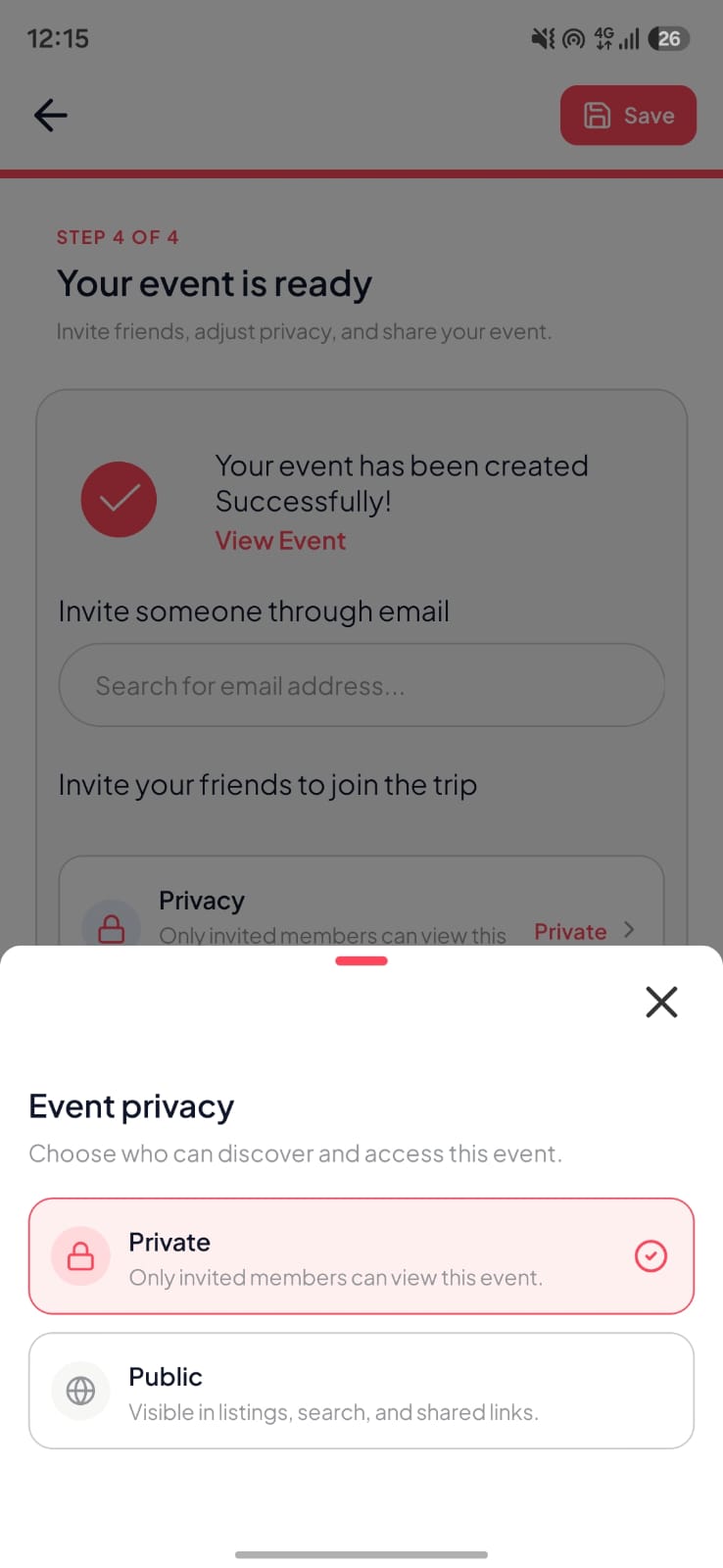
Private sharing starts with a clear audience
A private event album should make it clear who can view the media and how people receive access. Start by naming the intended group: immediate family, invited wedding guests, a project team, or registered attendees. Choose a collection method that matches that audience before uploading anything sensitive.
A hard-to-guess link and an invitation-only event are different access models. A forwarded link may reach people outside the original group. Check the actual controls your service provides, test the experience from an uninvited account, and avoid treating the word private as a complete explanation of the workflow.
Understand PhotoTrail app access and browser previews
PhotoTrail supports public and private events. The Android app is used to create events, join, and contribute photos and videos. Hosts manage access to their private event. Public events are intended for wider discovery, so a public event is not suitable for a collection restricted to a known guest list.
Browser previews are a separate viewing path. Public event previews can be viewed on the web. Private event previews require an OTP, and the backend validates whether that code is valid, unused, and unexpired. Sharing a browser preview is not the same as enabling browser uploads or removing the app’s account requirement.
Follow the recorded event walkthrough to see the sharing screens, and read the trust and security page for the documented storage and access design.
Give guests instructions they can understand
Tell invitees where to join, which account and device they need, and what they can contribute. Include the organizer’s contact details in the same message. If someone cannot use the chosen app, arrange another way to receive a few important files rather than encouraging the group to bypass access controls.
Explain that a member who can view an image may still be able to save or capture a copy. Access controls cannot guarantee that recipients will never redistribute media. Agree on expectations with the group, especially for children, client events, workplace gatherings, and guests who do not want their images reposted.
- Use a recognizable event name and a known organizer.
- Send invitations through a channel the group already trusts.
- Share private access codes only with the intended recipient.
- Test access changes with another account before relying on them.
Separate consent, moderation, and public promotion
Attending an event does not tell you whether someone wants their image posted publicly. Ask before reusing private contributions in a business portfolio, advertisement, or public social account. For workplace or community events, follow the organizer’s policy and provide a clear contact for questions or removal requests.
Decide who will handle a mistaken upload or a guest concern. Explain that taking a file out of the shared collection cannot recall copies already saved by recipients. A clear removal process and a responsive organizer are part of the experience, even when the underlying app offers strong technical controls.
Review the collection after the gathering
After the event, review membership, visibility, and which files need a separate archive. Keep important originals in a location you control, particularly for professional delivery or long-term family preservation. Check the storage plan before making any promise about indefinite availability or unlimited uploads.
The plan comparison explains storage and upload limits. The privacy policy covers data handling, while account deletion instructions explain how to request deletion. For an event access problem, contact PhotoTrail support with the event details and never send account passwords.